

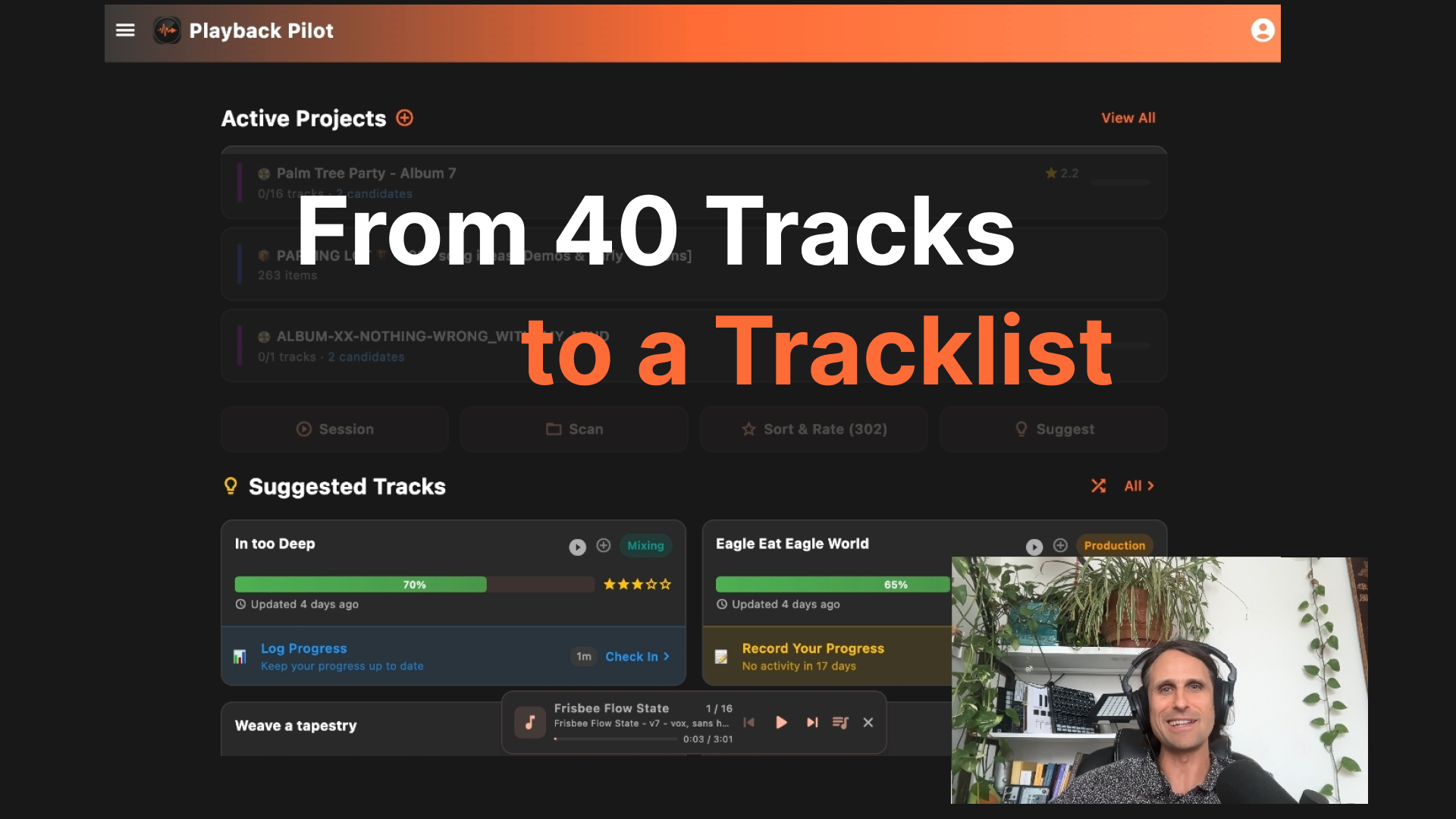
I'm finishing my 7th album right now. For this album, I have 40+ Ableton projects in various states and stages. Some are done, some need mixing, some I'm not sure about. PlaybackPilot is how I'm keeping track of all of it.
A few people asked me for a video, so here's a walkthrough of how I'm actually using it:
What you'll see in the video
- Building the tracklist: sorting tracks into Tracklist, Candidates, and Cuts so the album takes shape
- Workflow stages: each track is marked by where it's at so I always know what needs work
- Previewing tracks without opening Ableton
- Todos and notes so I know what each song still needs next session
- Checking in on progress so I know where I left off
This is my real album, my real projects. Nothing staged.
Read the full story on Why I'm Building PlaybackPilot.
Try it with your projects
PlaybackPilot automatically detects project files from Ableton, Logic, FL Studio, Pro Tools, and 10 more DAWs. You can also create projects manually. Mac + Windows. Free during alpha.
Want to try it to finish your tracks or albums? Join the waitlist and tell us about your workflow and get started now.
Related Posts

Producer Pipelines: How Working Producers Move Songs Forward
A working pipeline isn't a list of stages — it's a system for movement. Four producer profiles reveal the onramps, offramps, and decision rules that keep songs moving forward.
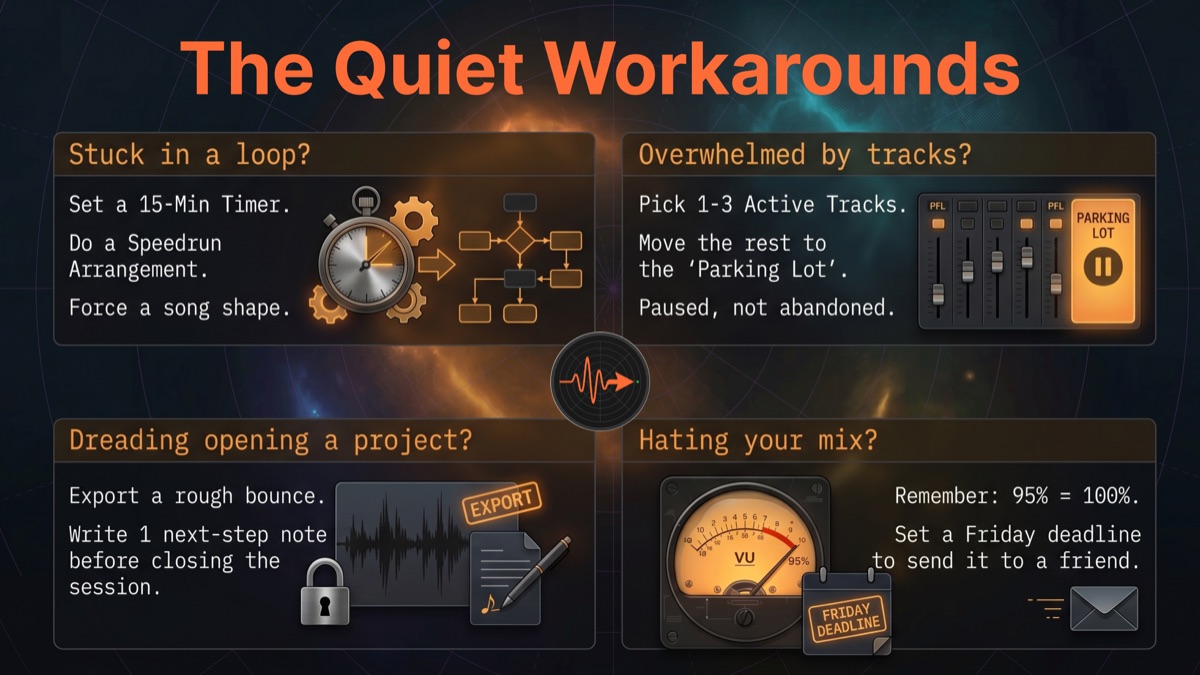
The Quiet Workarounds: What Producers Are Doing to Finish More Music
Producers aren't waiting for a magic workflow. They're setting timers, parking tracks, leaving breadcrumbs, and forcing deadlines. From 400+ survey responses and months of conversations, here are the patterns that keep tracks unfinished — and the quiet workarounds producers have figured out to move forward.
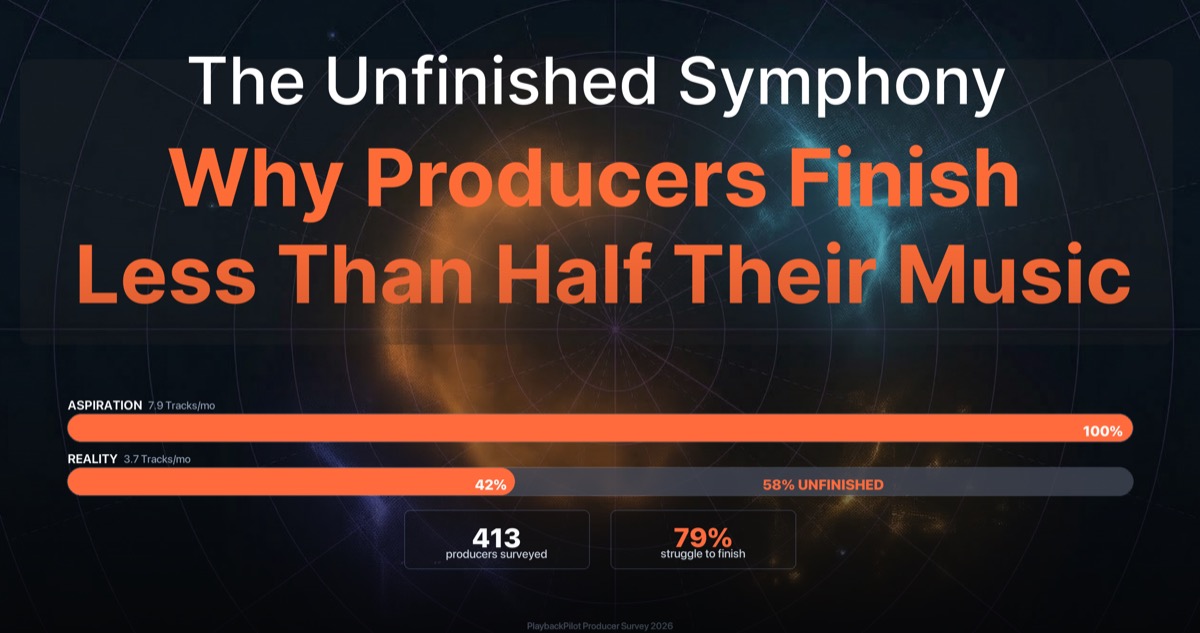
The Unfinished Symphony: Why Producers Finish Less Than Half Their Music
We surveyed 413 music producers and found a 58% gap between the tracks they want to finish and what they actually ship. Here's what the data — and their own words — reveal about why finishing is so hard.